Keyboard Shortcuts
Built-in Shortcuts
| Shortcut | Action |
|---|---|
| Ctrl+P / Cmd+P | Quick Open (file search) |
| Ctrl+Shift+F / Cmd+Shift+F | Open Search Panel |
Custom Workflow Shortcuts
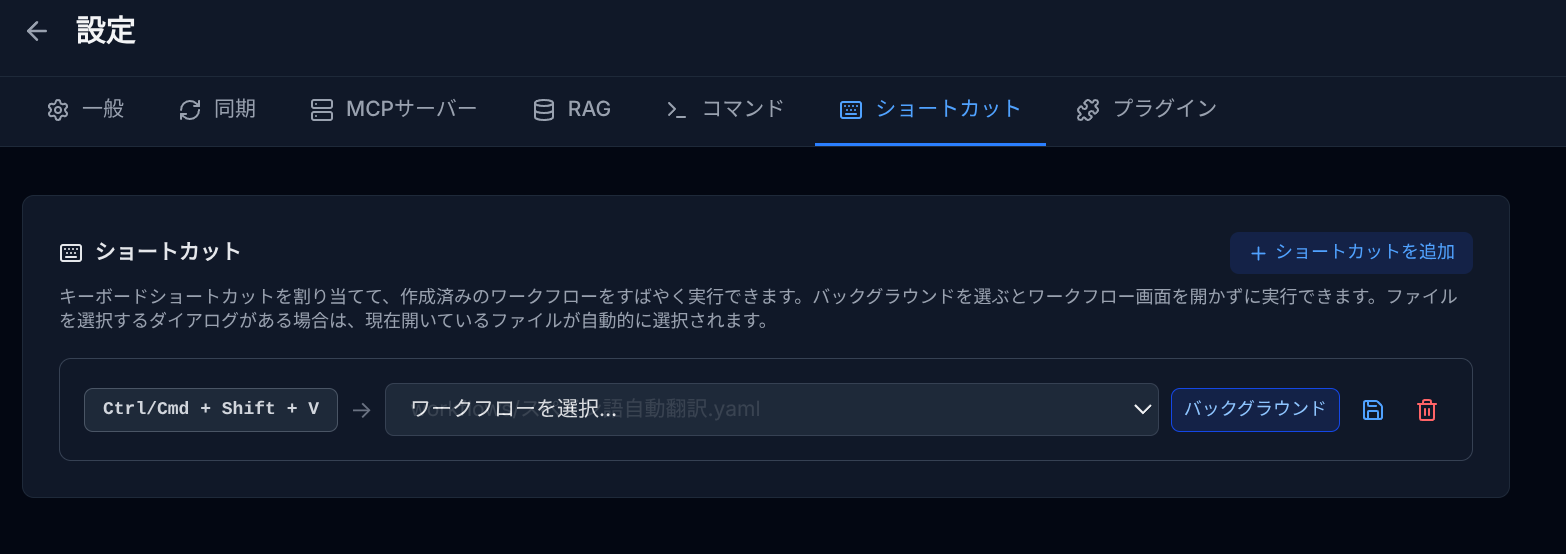
You can assign keyboard shortcuts to execute specific workflows. Configure them in Settings > Shortcuts.
Adding a Shortcut
- Click Add Shortcut.
- Press the desired key combination (e.g., Ctrl+Shift+R).
- Select a workflow to execute.
- Optionally enable Background mode to run without opening the workflow panel.
Key Combination Rules
- Letter and number keys require Ctrl/Cmd or Alt modifier. Shift alone is not sufficient.
- Function keys (F1–F12) can be used without modifiers.
- Key combinations reserved by the application (e.g., Ctrl+Shift+F, Ctrl+P) cannot be assigned.
- Duplicate key combinations are not allowed.
Background Execution
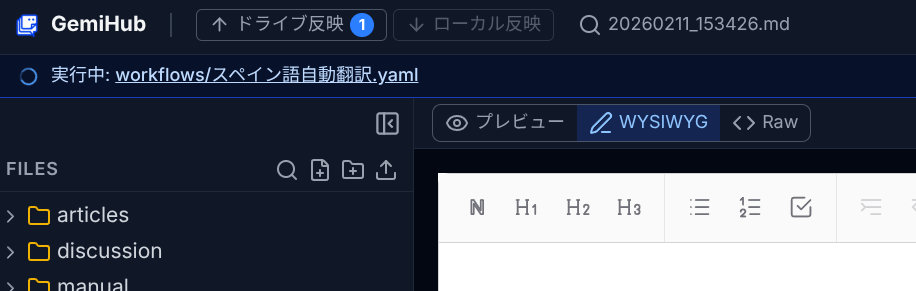
When Background is enabled, the workflow runs without switching to the workflow panel. Progress and completion are shown in the status bar. If the workflow has a file picker dialog, the currently open file is automatically selected.