Settings Overview
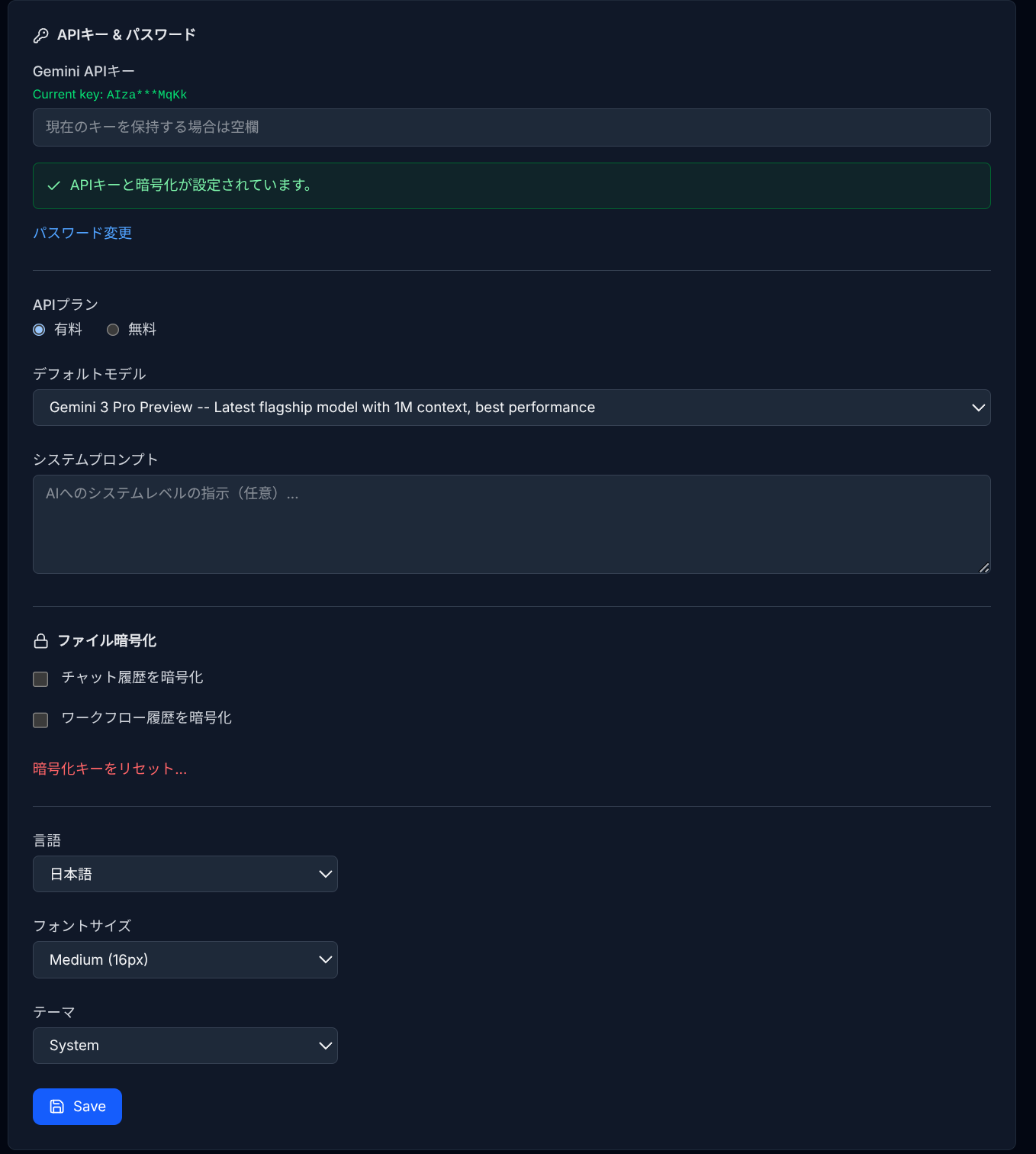
The Settings page is accessible from the gear icon in the IDE header. Settings are stored as settings.json in your Drive gemihub/ folder and synced across devices.
General
- Gemini API Key — Your API key for Gemini services.
- API Plan — Free or Paid (determines available models).
- Default Model — The default Gemini model for chat and workflows.
- System Prompt — Custom instructions for the AI across all conversations.
- Language — Interface language (English / Japanese).
- Font Size — Editor font size.
- Theme — Light / Dark / System.
- Password & Encryption — Set a password for API key encryption and file encryption features.
- Encrypt Chat / Workflow History — Toggle encryption for saved histories.
MCP Servers
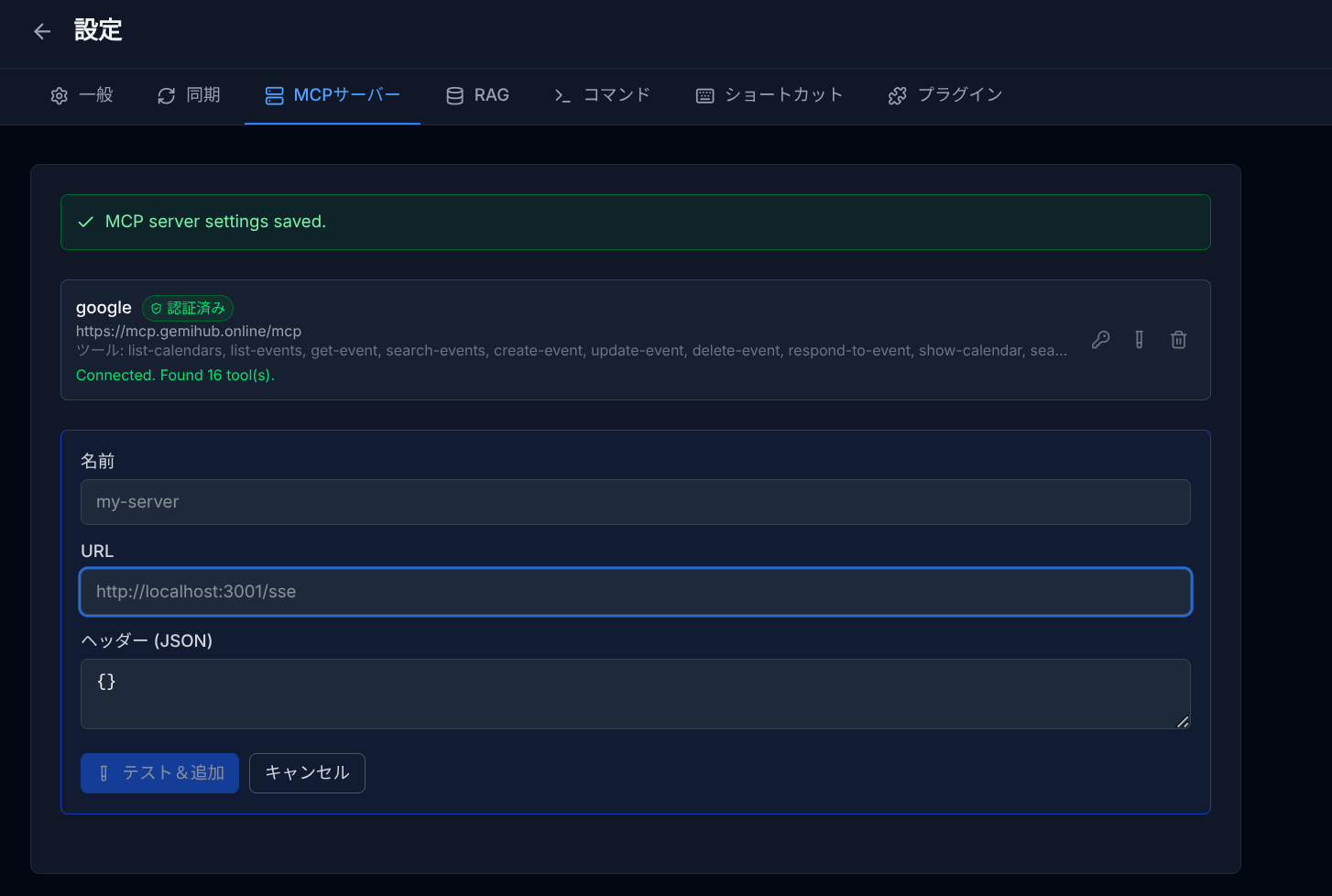
- Add, edit, and remove MCP server connections.
- Test connections and view available tools.
- OAuth authentication management.
RAG
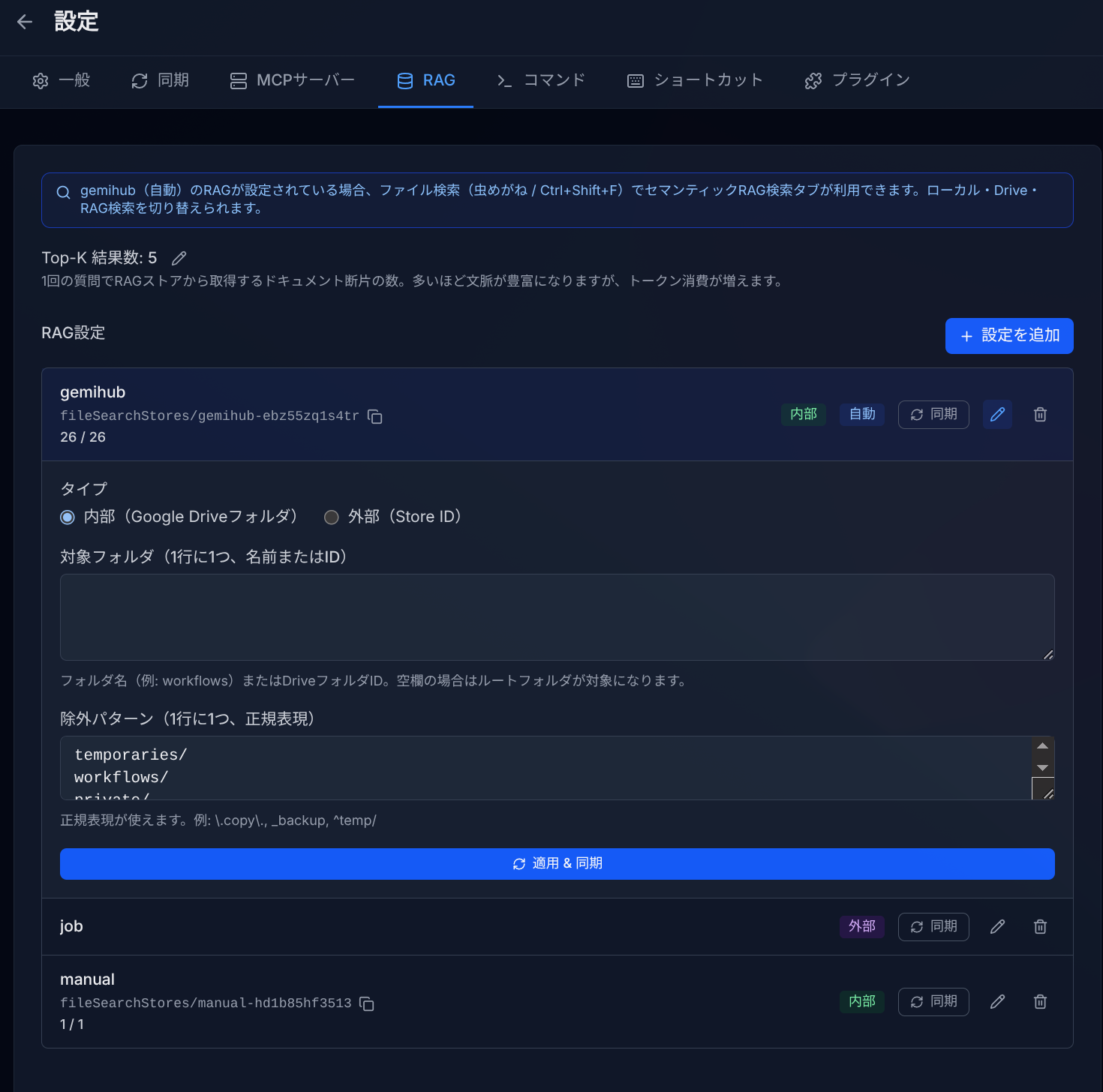
- Add and manage RAG store configurations (Internal / External).
- Configure target folders and exclude patterns.
- Sync files to RAG stores.
- Enable auto-registration on Push to Drive.
- Set Top-K result count.
Plugins
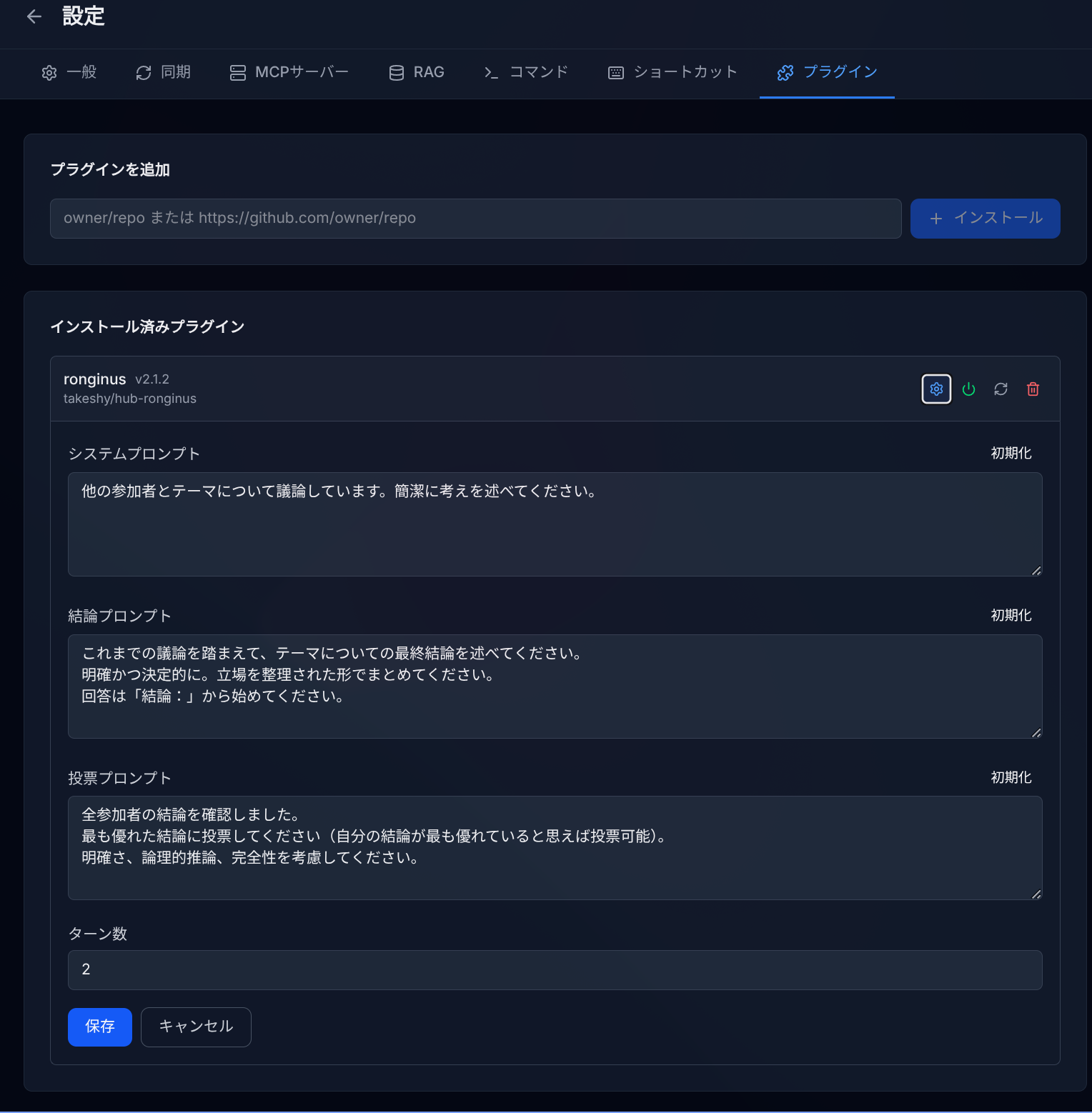
- Install plugins from GitHub repositories.
- Enable, disable, update, and uninstall plugins.
- Access plugin-specific settings.
Commands
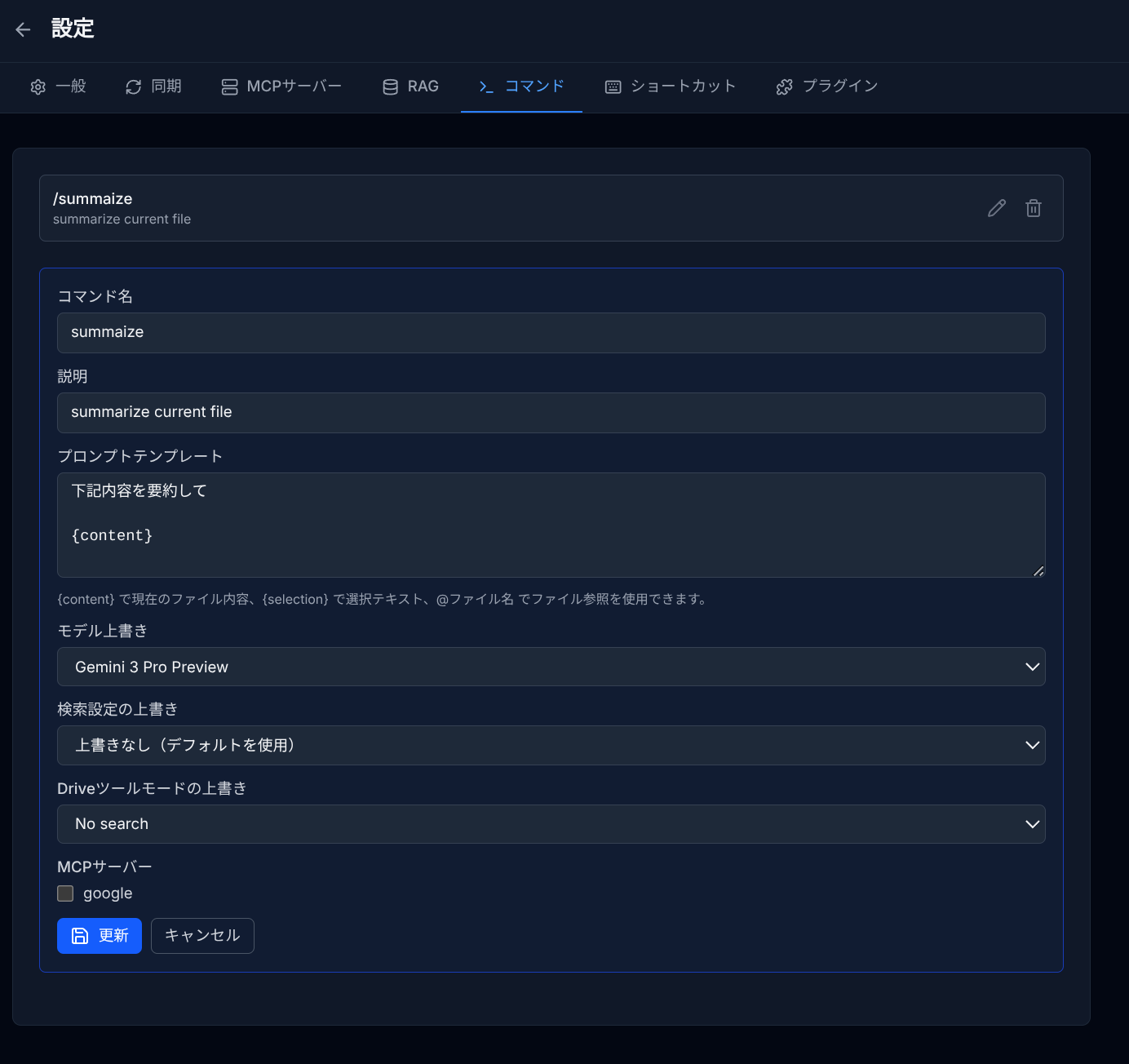
- Create custom slash commands for the chat.
- Define prompt templates with
{content},{selection}, and@filenamevariables. - Override model, search settings, Drive tool mode, and MCP servers per command.
Shortcuts
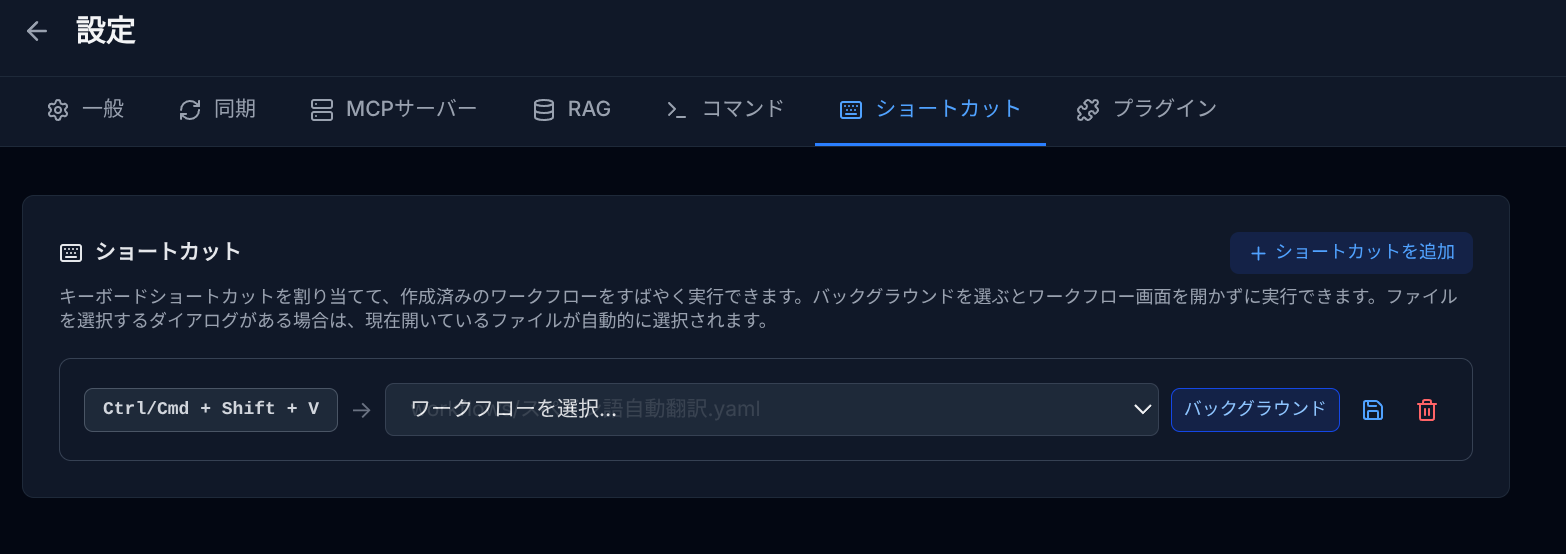
- Assign keyboard shortcuts to execute workflows.
- Supports Ctrl/Cmd + key, Alt + key, and function keys (F1–F12).
- Background execution option (no workflow panel needed).
Sync
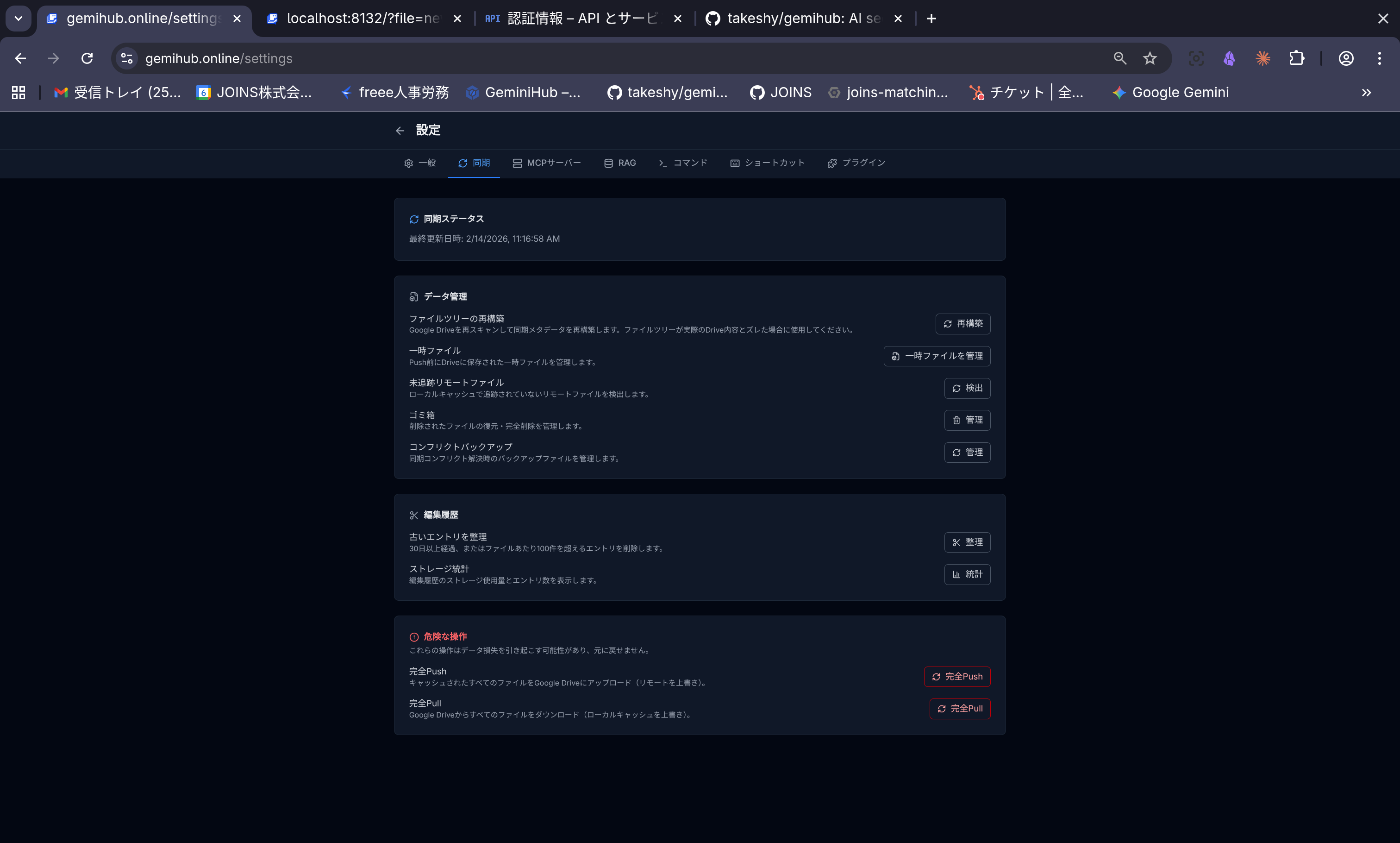
- View sync status and last sync time.
- Full Push to Drive / Pull to Local operations.
- Trash management and conflict backup management.
- Edit history pruning and statistics.
- File tree rebuild and untracked file detection.