
GemiHub
AI That Acts, Not Just Answers
GemiHub is an AI assistant that reads your files, finds what you need, and gets things done on its own. Connect external tools, search across your documents by meaning, and automate repetitive tasks — all while keeping your data in your own Google Drive.
Picks Its Own Tools
Ask a question and the AI figures out what to do: read a file, search your Drive, look things up on the web, or call an external service. You just ask — it handles the rest.
Searches by Meaning
Your files are indexed so the AI can find relevant information even when the exact words don't match. Ask "when was the budget meeting?" and it finds your "Q3 finance review" notes.
Connects to Outside Tools
Hook up web search, databases, or any compatible service. The AI automatically discovers what's available and uses it during your conversation.
Runs Multi-Step Tasks
String together AI prompts, file edits, web requests, and more into automated workflows. Or just tell the AI what you want and it builds the workflow for you.
AI Chat
Have a conversation with AI that can read your files, search the web, generate images, and use external tools — all on its own.
Ask Your Files
Search your Drive files by meaning, not just keywords. Search for "meeting" and get results mentioning "conference" too.
Notes & Editor
Jot down notes in Markdown. Save ideas and meeting notes straight to Drive.
Workflows
Just describe what you want and AI builds an automation workflow. Works with Drive, the web, and external services.
Plugins
Add new features from GitHub. Plugins can use AI and Drive, so you can build custom tools and advanced automation.
One-Click Publishing
Turn any Drive file into a public web page. Share via URL with no hosting required.
Works Offline
All files cached in your browser for instant access — even without internet. Edit offline, then push changes to Drive with one click. Conflicts are detected automatically.
Your Data, Your Control
No external database. Everything stored in your Google Drive. Supports encryption and self-hosting.
See It in Action
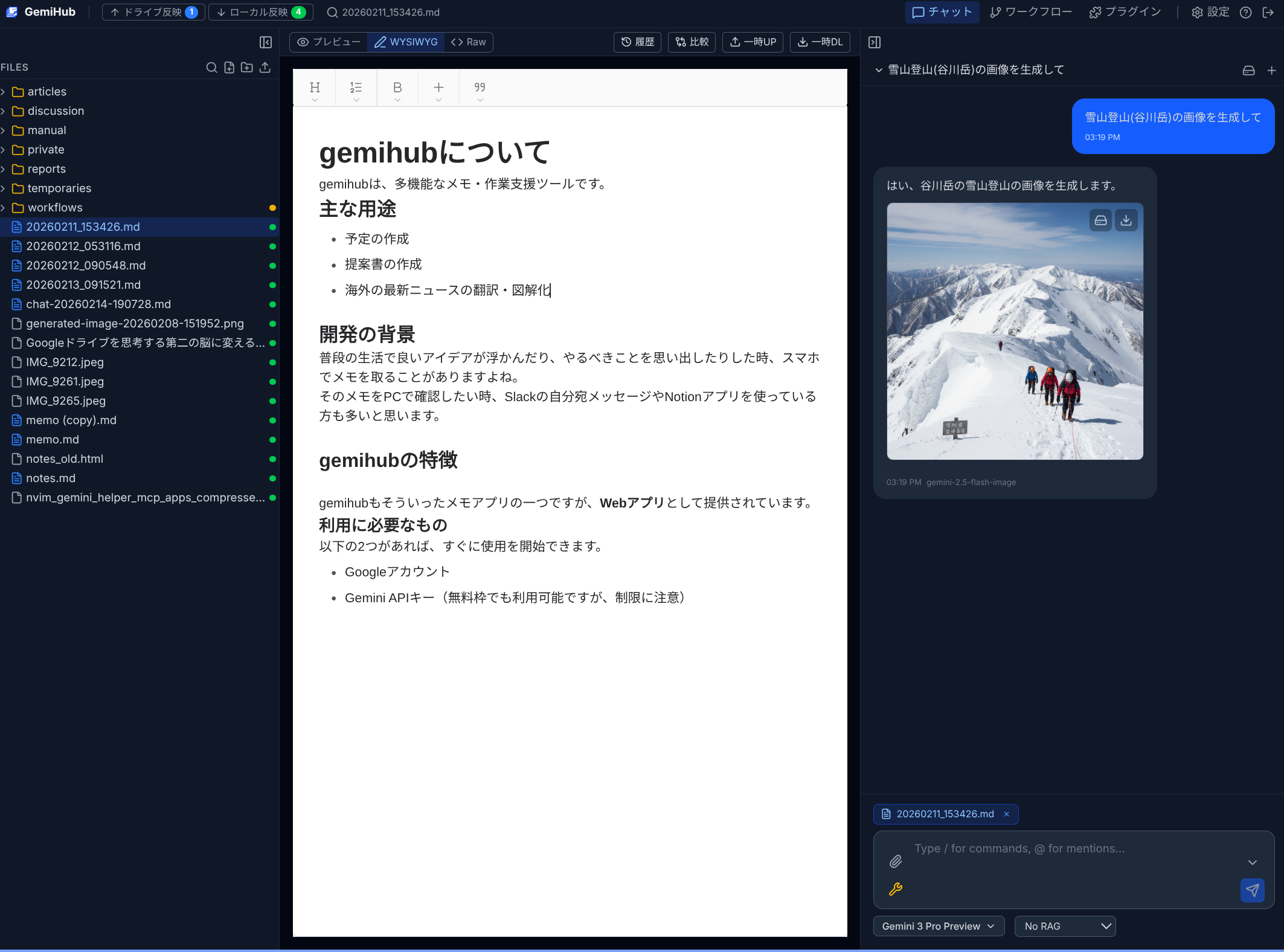
AI Chat & File Management
Write notes in a rich editor and let AI proofread or summarize them. Chat with web search, file search by meaning, image generation, and connections to external tools.
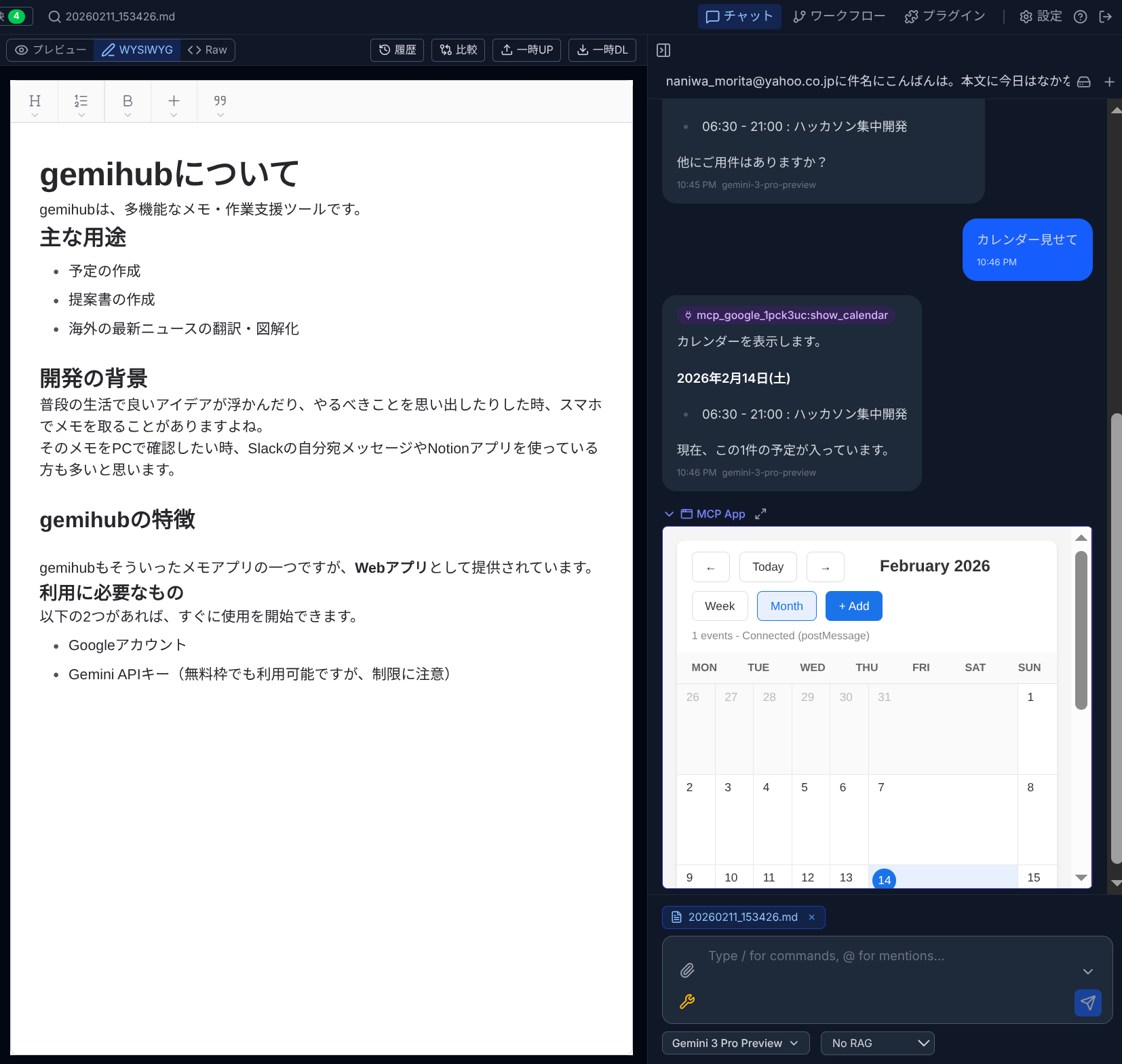
MCP Apps
Connect external apps via MCP (Model Context Protocol). The AI discovers available tools automatically and uses them in your conversation — calendars, databases, and more.
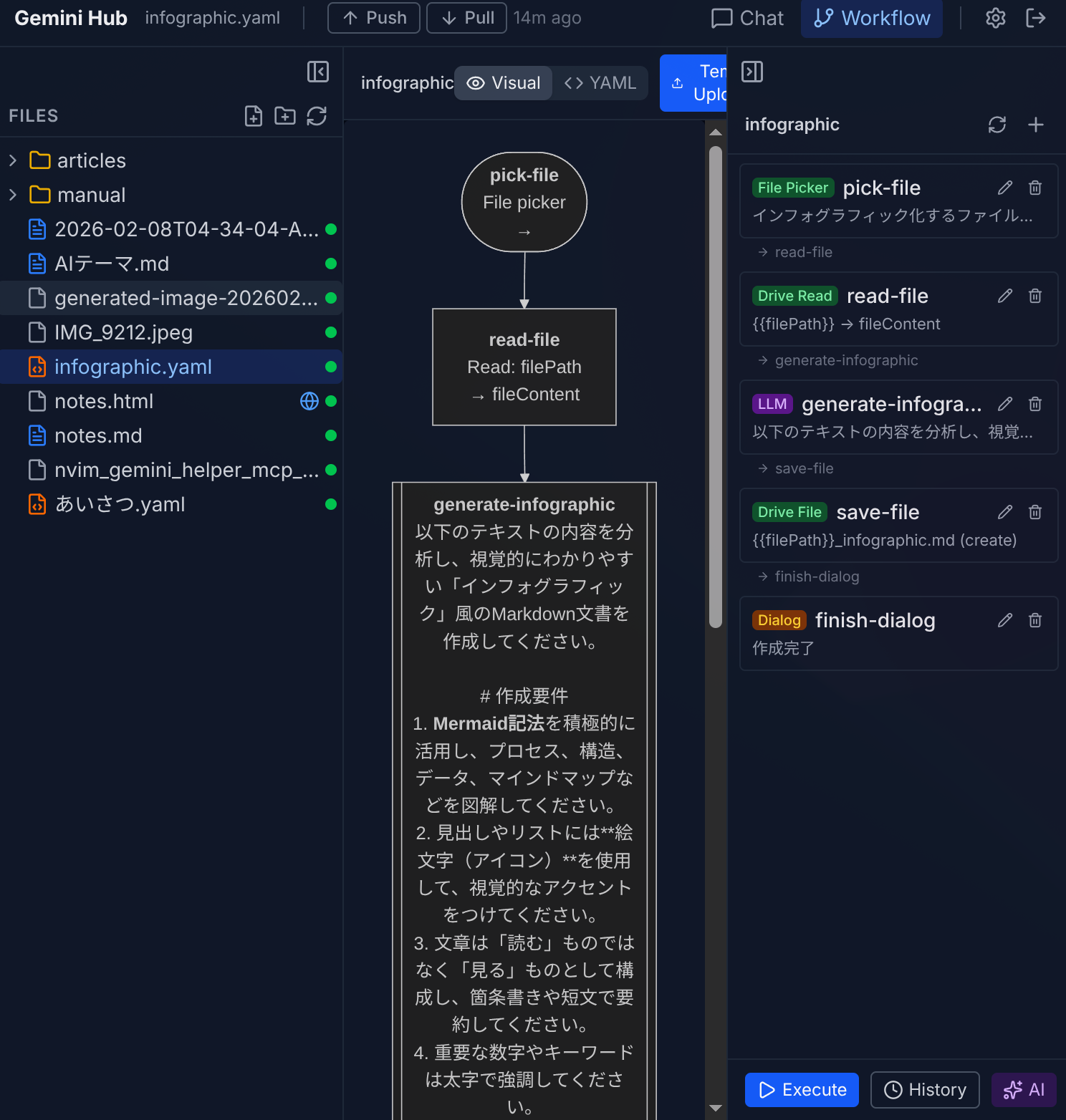
Workflow Builder
Build automation with a drag-and-drop editor. Connect AI prompts, Drive operations, and web requests into a single flow.
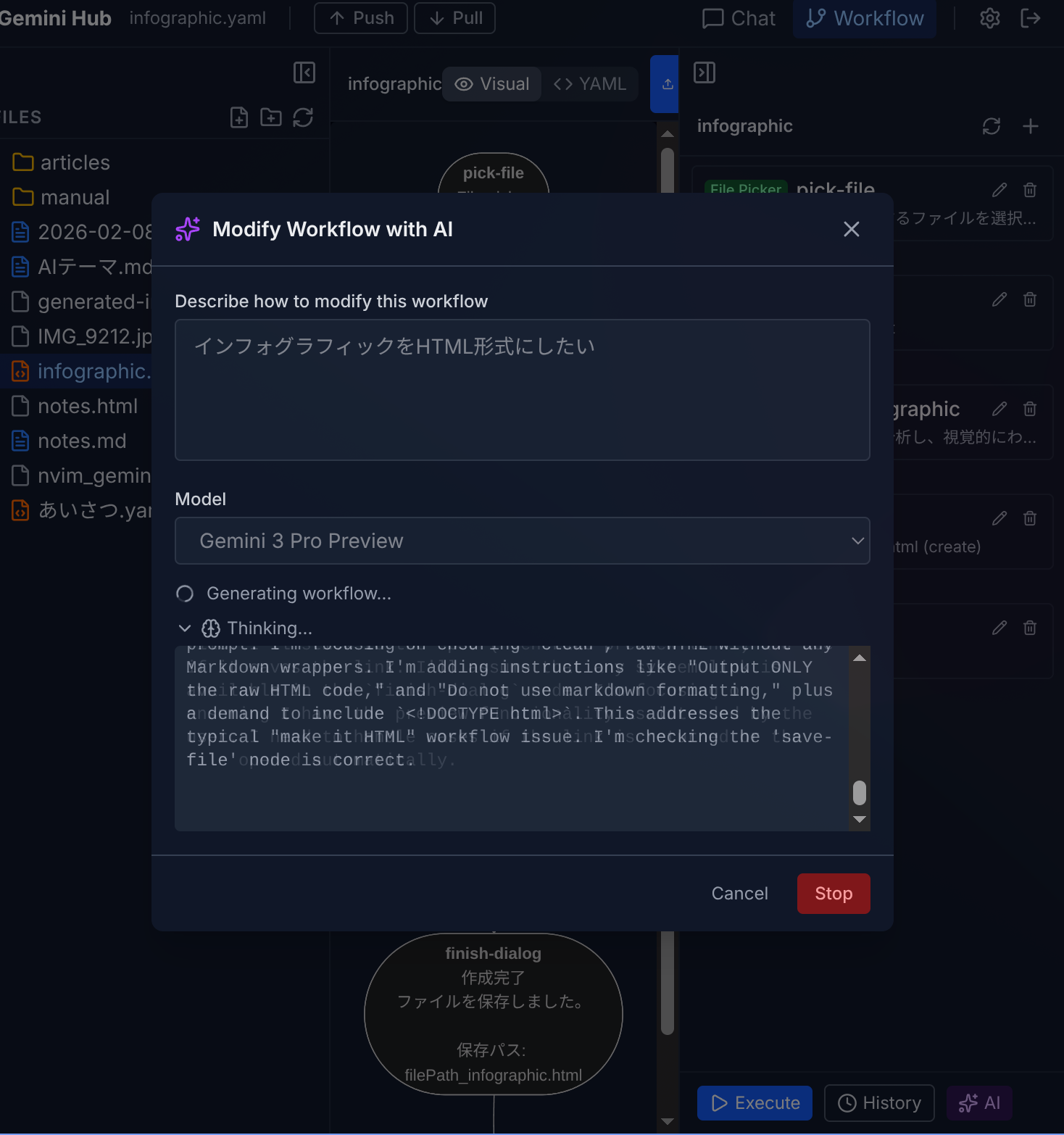
AI Workflow Generation
Describe what you want in plain language and AI creates the workflow for you, with a live preview.
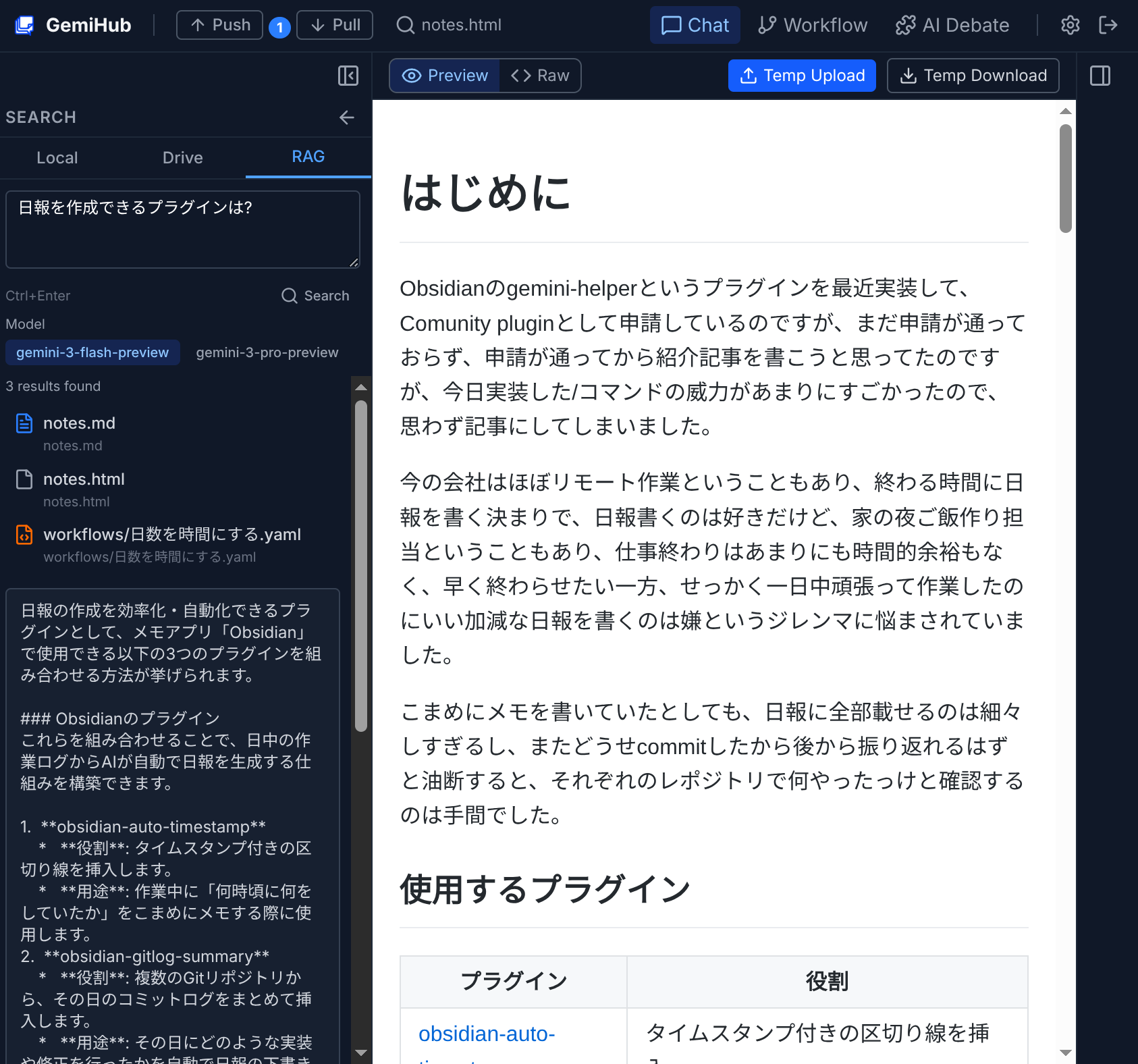
Smart File Search
Sync your Drive files to meaning-based search. Ask questions naturally and get answers drawn from your own documents.
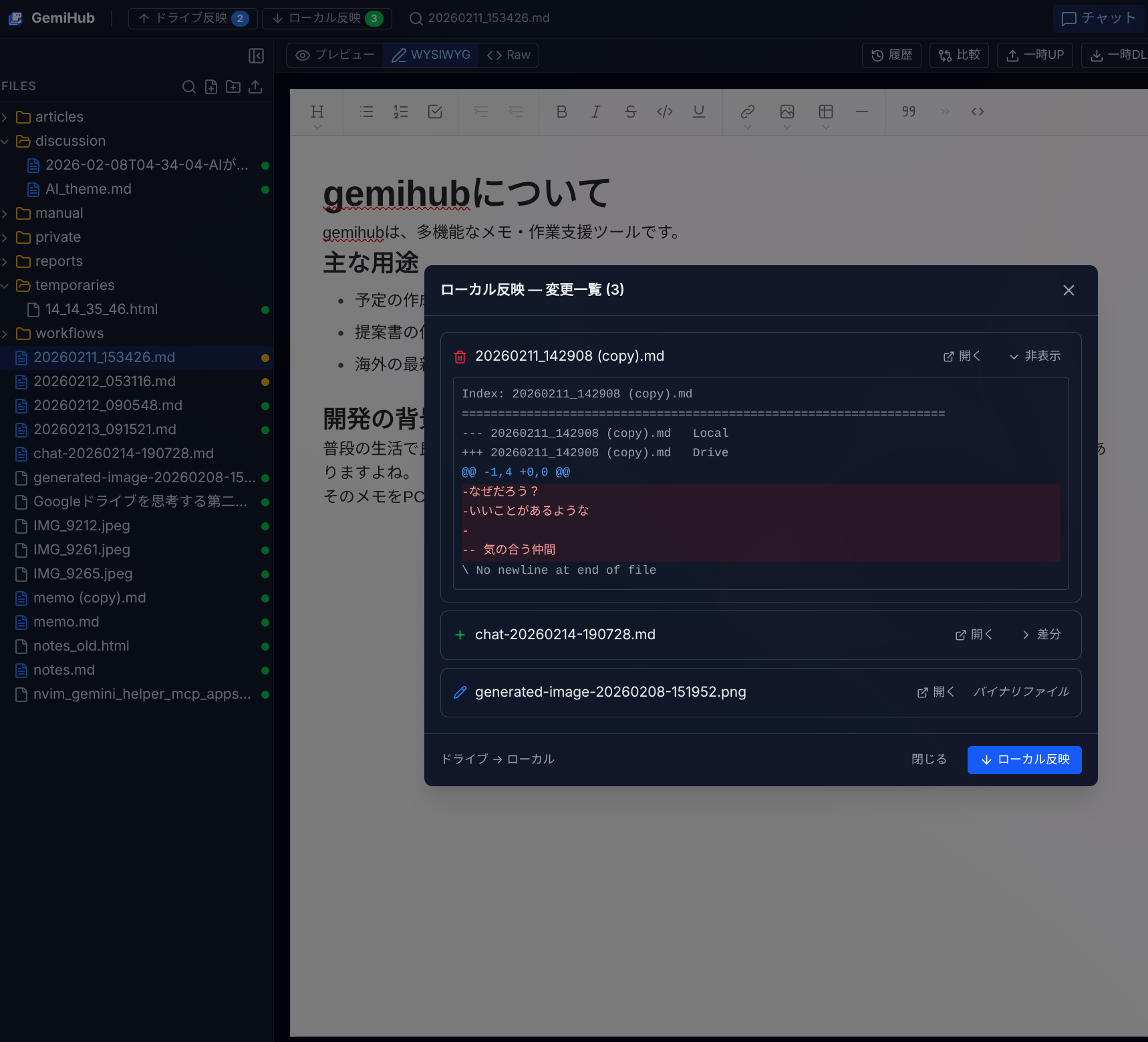
Push/Pull Sync
All data lives in your Google Drive. Push and pull changes with automatic conflict handling.
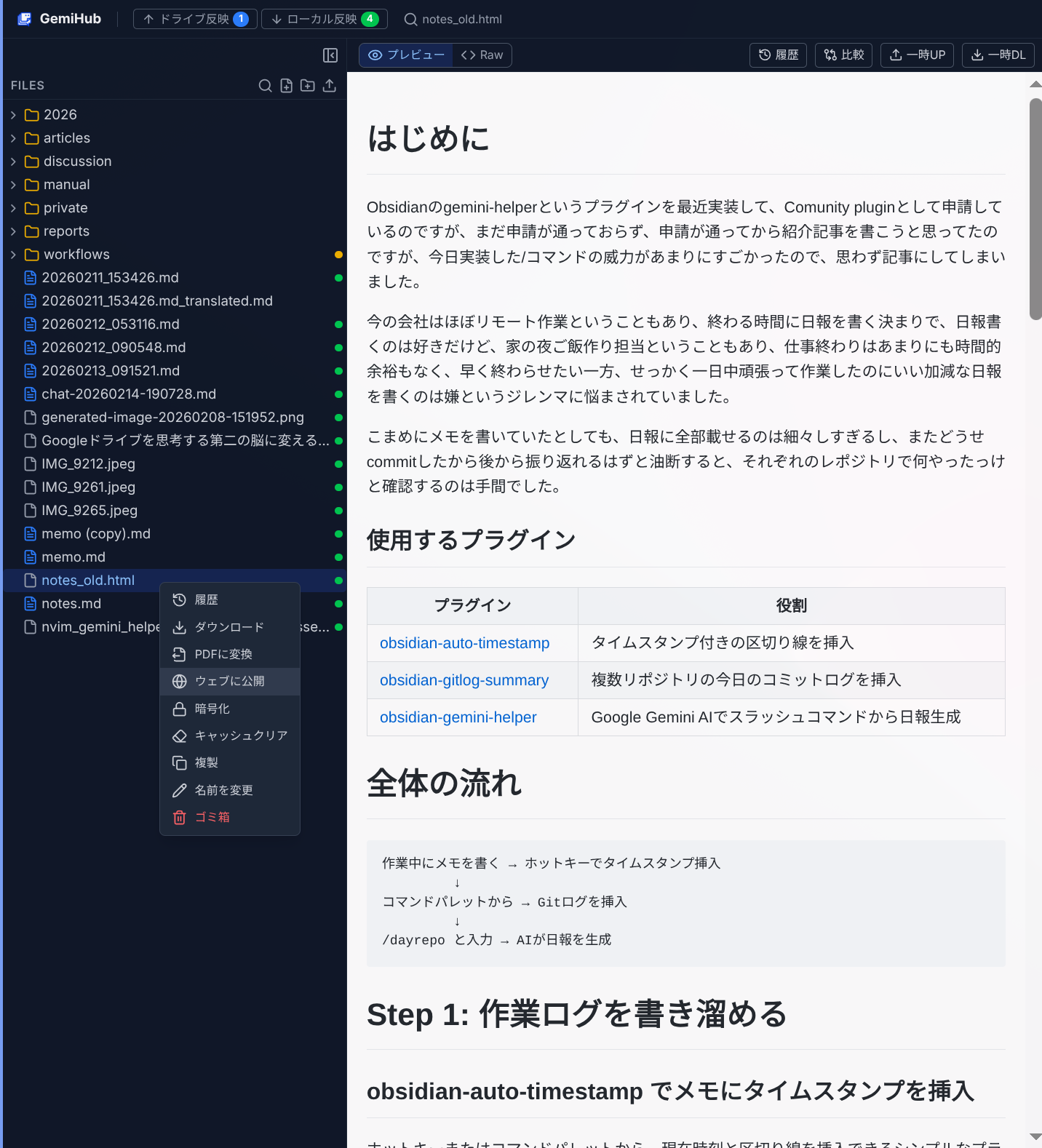
One-Click Publishing
Turn any Drive file into a public web page. Share via URL with no hosting required.
Built with Google Cloud
Gemini API — AI chat, tool use, thinking, image generation, and smart file search (RAG)
Cloud Run — App hosting that scales automatically, with Cloud Build for continuous deployment
Google Drive API — All your data stored in your own Drive, no separate database needed
Google AI Pro: More Value for Gemini Users
GemiHub uses the Gemini API. If you subscribe to Google AI Pro, the included cloud credits can cover your API costs — making GemiHub essentially free to run.
Pricing
United States
$19.99/month
$179.88/year ($14.99/month)
Japan
¥2,900/month
¥28,800/year (¥2,400/month)
AI Features
Gemini 3 Pro, Workspace AI (Docs, Sheets, Gmail), image & video generation, 1,000 credits/month, NotebookLM Plus, family sharing (up to 5)
Storage & Extras
2 TB Google One storage, Google Home Premium
Developer Benefits
$10/month Google Cloud credits, Gemini Code Assist, Gemini CLI, Firebase Studio (30 workspaces)
Is It Worth It?
2 TB Google One alone costs $9.99/month. Add the $10 cloud credit and the extra cost for AI Pro is effectively ~$0. You get Gemini 3 Pro, Workspace AI, and developer tools on top — for free.
Important: Activate Your Developer Credits
- Subscribe to Google AI Pro
- Open Google Cloud Console (console.cloud.google.com)
- Link your billing account to a project
- Verify credits appear under Billing → Credits
What Can $10/Month Cover?
Gemini 3 Flash
Fast & Low Cost
Input: ~20–40M tokens. Output: ~3M tokens. For personal development and data analysis, this is practically unlimited — even processing hundreds of books barely scratches the surface.
Gemini 3 Pro
High Intelligence & Complex Reasoning
Input: ~4–5M tokens. Output: ~800K–1M tokens. More expensive than Flash, but still enough for thousands of standard chat round-trips.
File Search (RAG)
Index & Search Your Documents
Indexing is extremely cheap — $10 covers tens of millions of tokens (thousands of PDF pages). Retrieval uses standard model pricing; with Flash, the cost is negligible.
With Gemini 3 Flash as your File Search engine, $10/month goes surprisingly far. Build a personal AI librarian from your entire PDF library without worrying about the budget.
References
Plugin Showcase
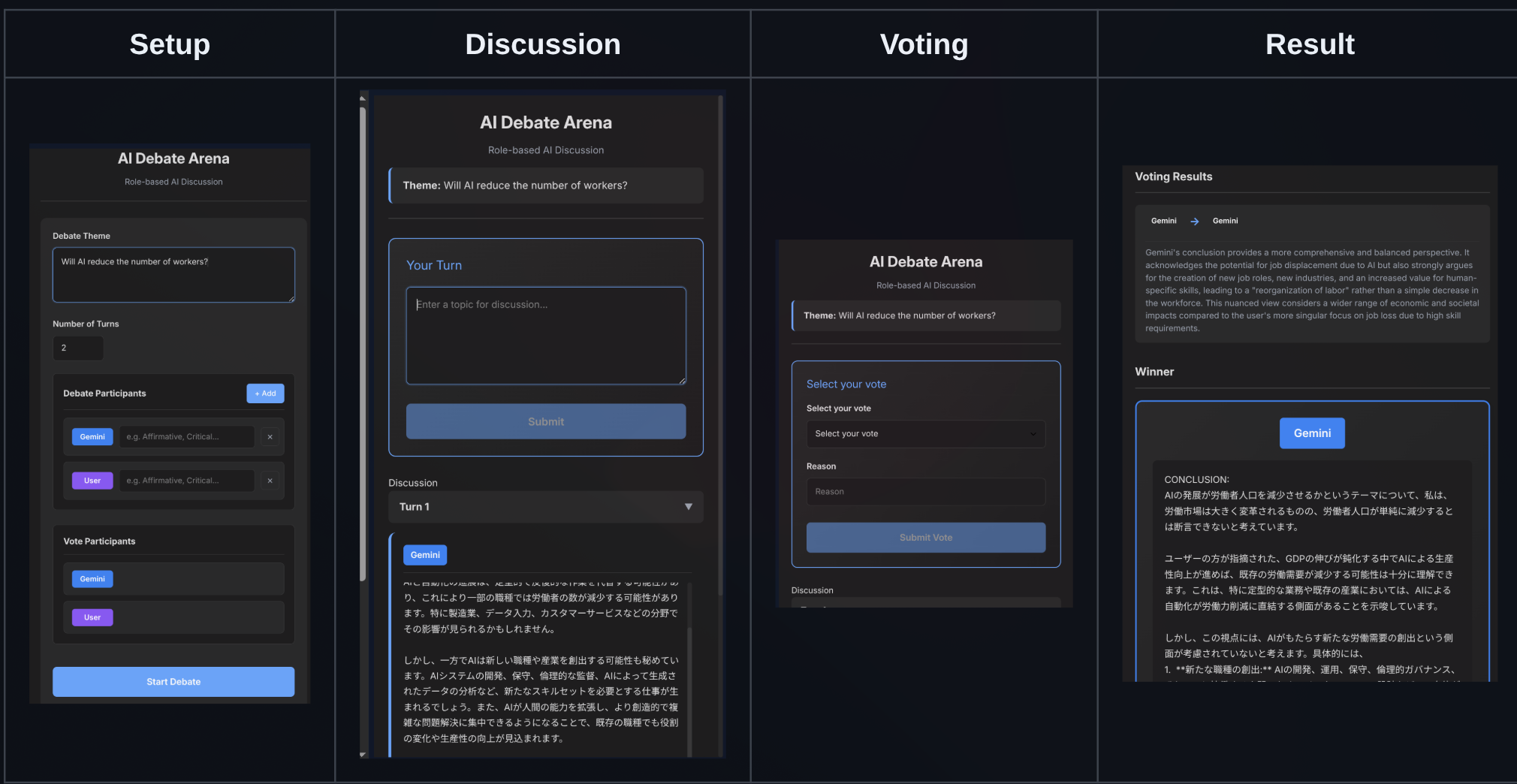
Ronginus
A debate plugin where multiple AIs discuss a topic from different perspectives. You can also participate as a debater.
Install from Settings > Plugins with: takeshy/hub-ronginus
How We Handle Your Data
GemiHub uses your Google account to sign in. Here's what we access and why:
Google Account
Your Google account is used only for authentication. Your name and email are not stored or displayed.
Google Drive
Chat history, workflows, and settings are stored in a dedicated "gemihub" folder on your Drive. Files outside the app are never accessed.
No Third-Party Sharing
Your data is never sold or shared. Everything stays in your own Google Drive.
Fully Portable
No database — all data lives in your Drive. If this service shuts down, just run your own instance and everything is right where you left it.
Learn more in our Privacy Policy